A topic or keyword in your own language — e.g. “pasta recipes”, “funny cats”, “iPhone review”. Real YouTube suggestions appear as you type.
2
Set filters (optional)
Period, format, country, duration and more. You can leave the defaults — by default it finds the most viral of the week.
3
Press “Search”
In 1–3 minutes you get a list of viral videos sorted by “Virality”.
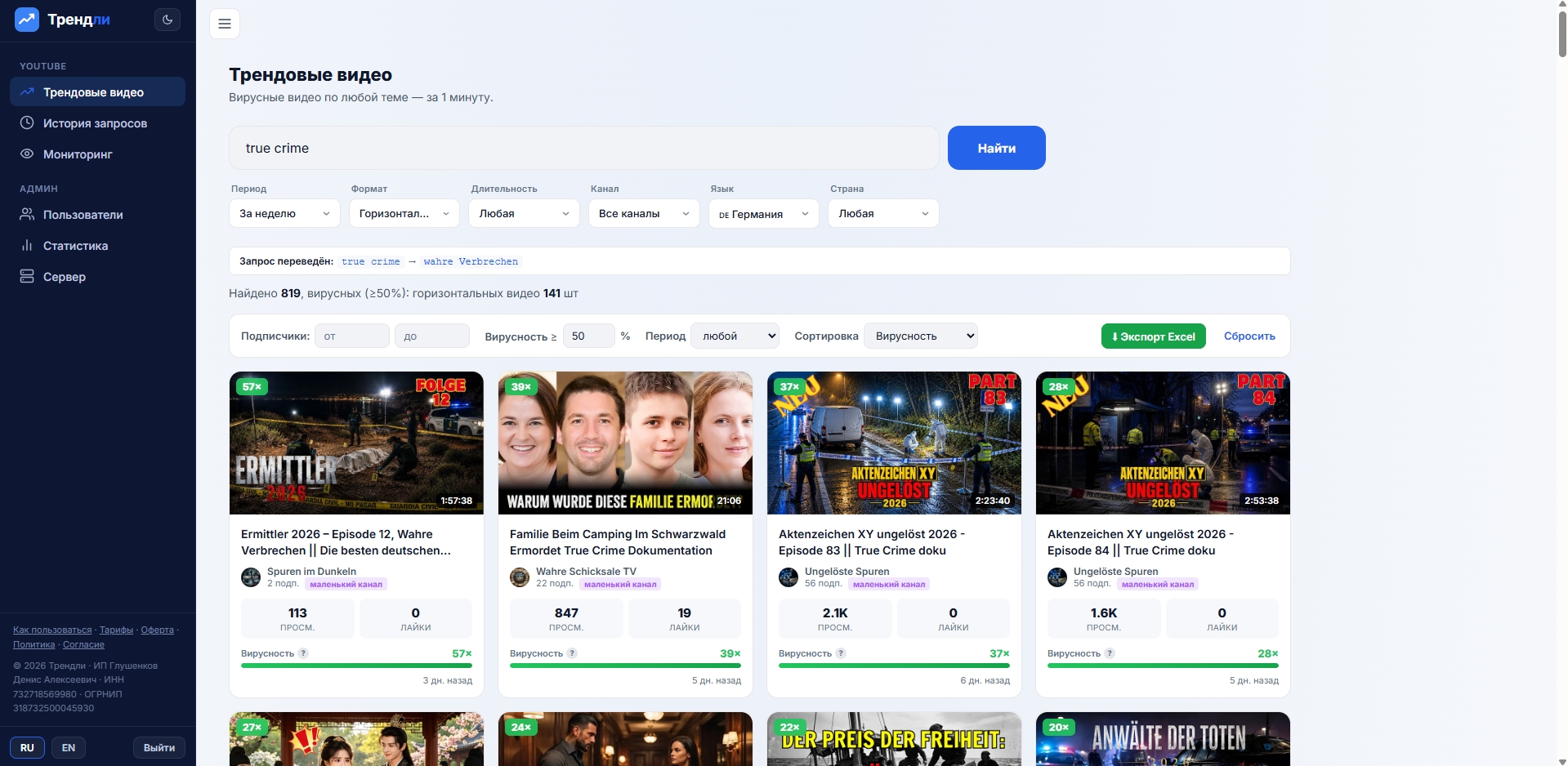
The search screen: query and filters on top, results with “Virality” below.
What is “Virality”
Virality is how many times the views exceeded the channel’s subscriber count. For example 135% means the video got 1.35× more views than the channel has subscribers. High virality = the video broke far beyond its usual audience. This helps you spot rising trends and small-channel hits before they go mainstream — exactly the kind of format that’s easiest to repeat.
Search filters
PeriodHow recent the video is: day, week, month or year.
FormatHorizontal (regular videos) or vertical (Shorts / Reels).
DurationUnder 3 min, 3–15, 15–40, or over 40 minutes.
ChannelAll channels or small ones only — to surface hits from smaller creators that are easier to replicate.
LanguageTranslates your query into the chosen country’s language (e.g. “funny cat” → “gato gracioso” for Spain) to search the local niche. “Any” = no translation.
CountryKeeps only videos from channels in the chosen country (by the channel’s declared country).
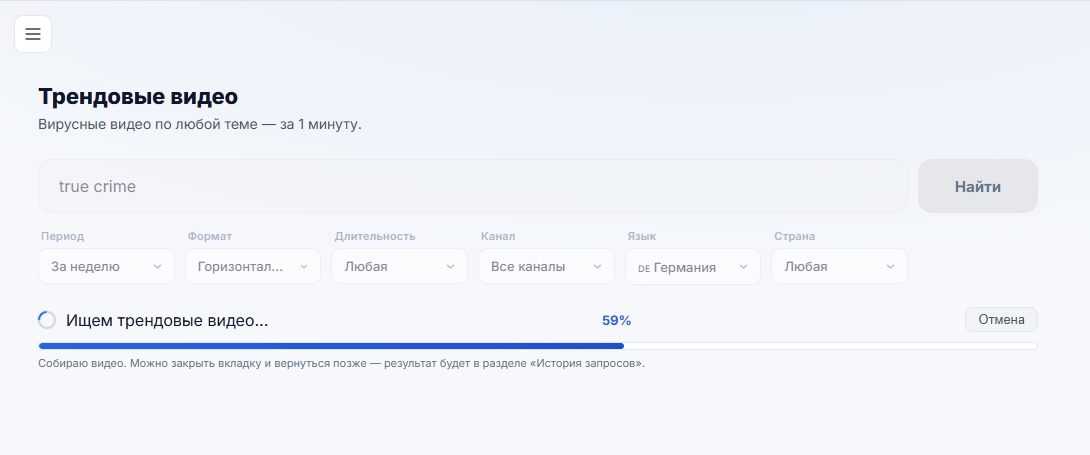
During the search you can close the tab — the result will still be saved in History.
Result filters & export
Appear after the search — refine what’s already found, no new query:
SubscribersChannel size range (min/max).
Virality ≥Minimum virality threshold, 50% by default.
SortBy virality, views, engagement (ER) or date.
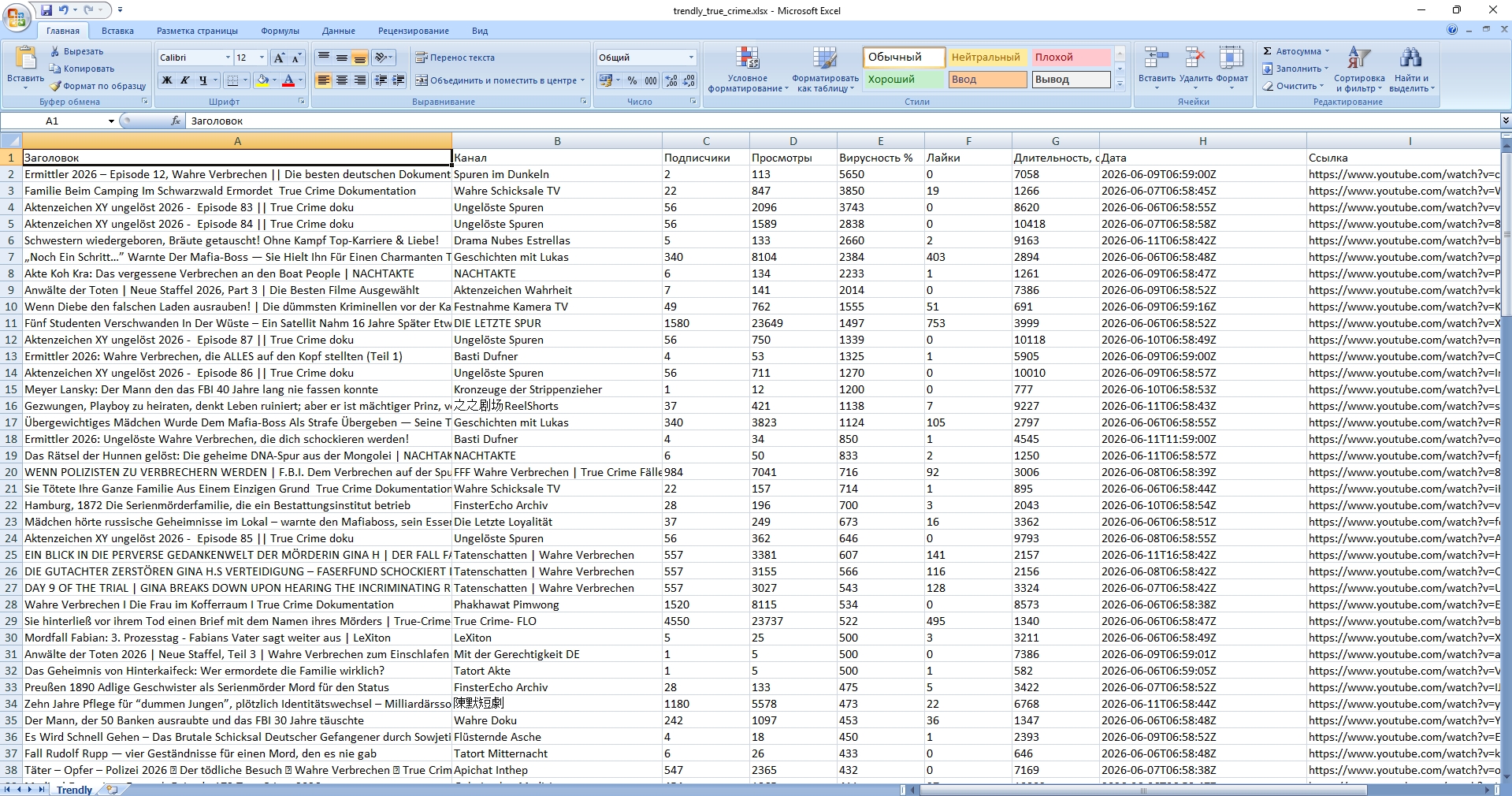
Export to ExcelAny result can be downloaded as an .xlsx file — with titles, channels, views, subscribers, virality, likes, duration, date and links. Handy for sorting and analysis in a spreadsheet.
The “Export Excel” button saves the whole list into a ready .xlsx spreadsheet.
Monitoring competitors & topics
The “Monitoring” section watches the channels and topics you choose automatically: it checks every hour, and new matching videos are sent to your Telegram and collected on the page. You can track:
Competitor channelEvery new video from a chosen channel — be first to know what competitors post.
Phrase / topicNew viral videos for a keyword — catch fresh trends in your niche.
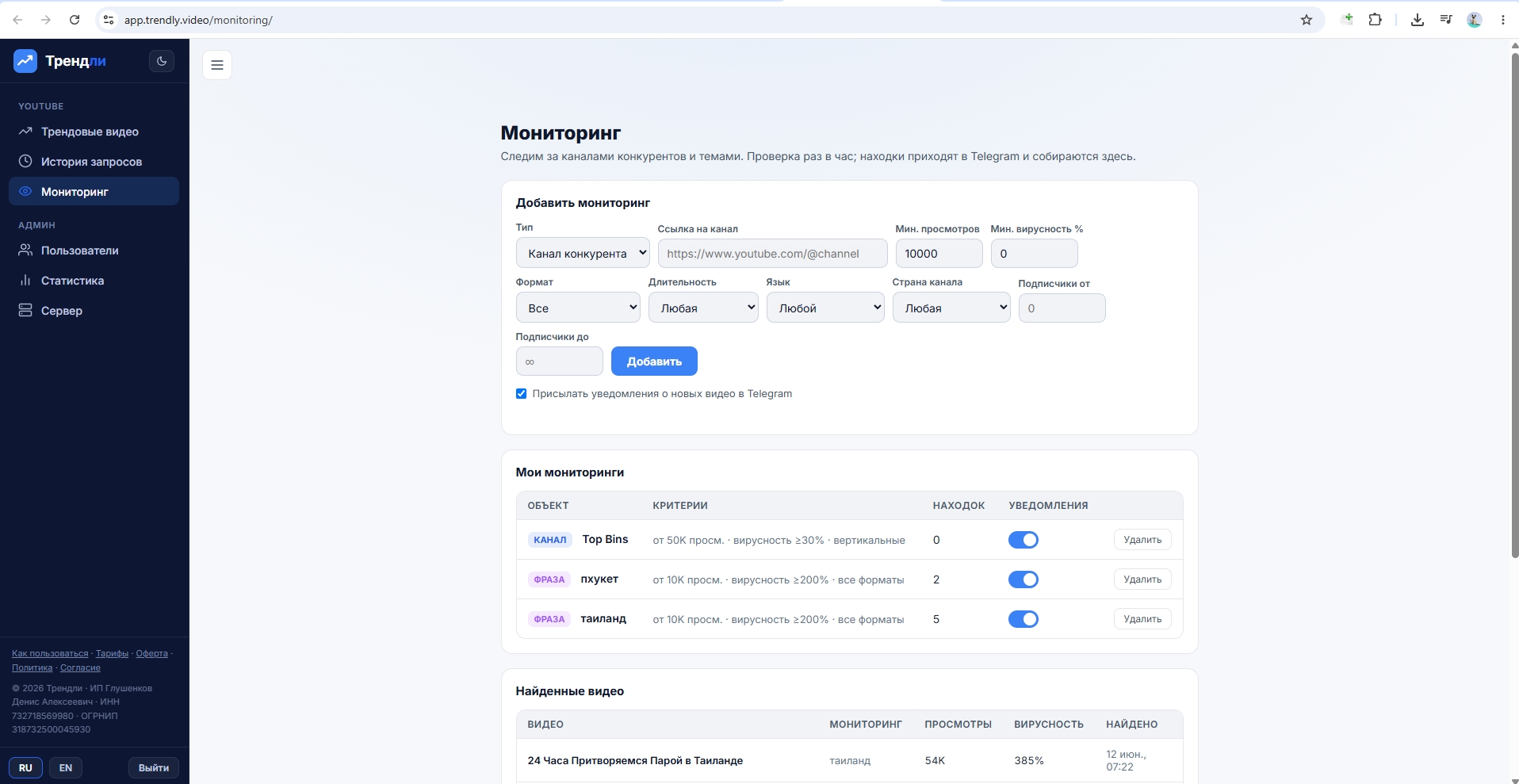
Each monitor has its own criteria: minimum views, virality threshold, format, duration, language, channel country and channel size. Telegram alerts can be toggled on or off.
Monitoring: add channels or phrases — matches arrive in Telegram and pile up here.
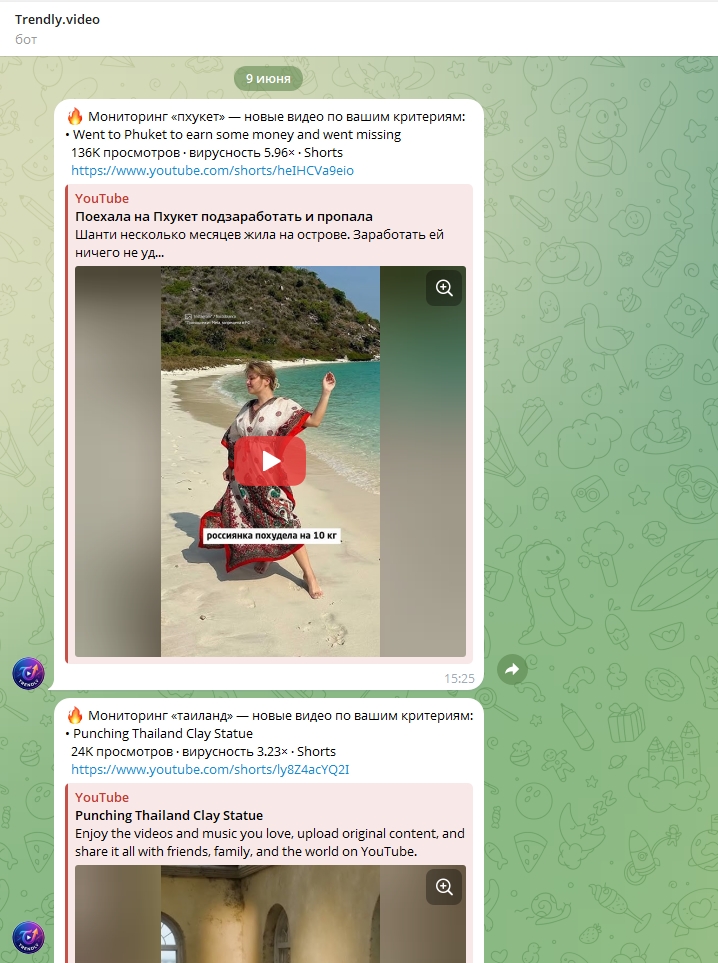
Alerts arrive straight to your Telegram — with the title, view count, virality and a link to the video, so you can judge the find and open it right away.
How the bot’s alerts look in Telegram.
Search history & long searches
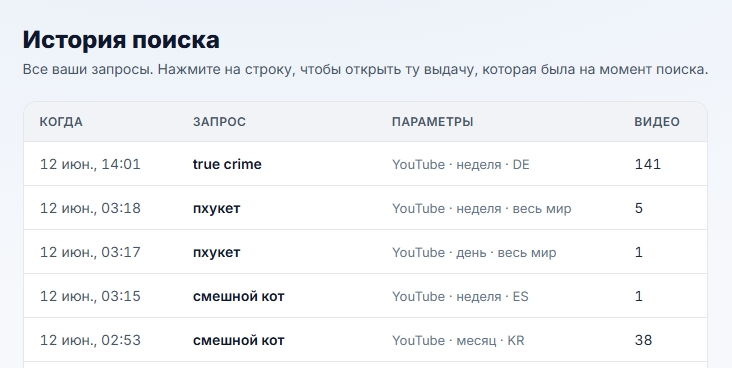
Every search is saved in “Search history” (left menu). Click any row to reopen the exact same results with the same filters you used.
A regular search takes 1–3 minutes; a deep one — say for a whole year — can take 10–15 minutes. No need to wait: start the search and just close or minimize the site, go about your day. When you come back, the finished result will be waiting in “Search history”.
Search history — reopen any past search in one click.